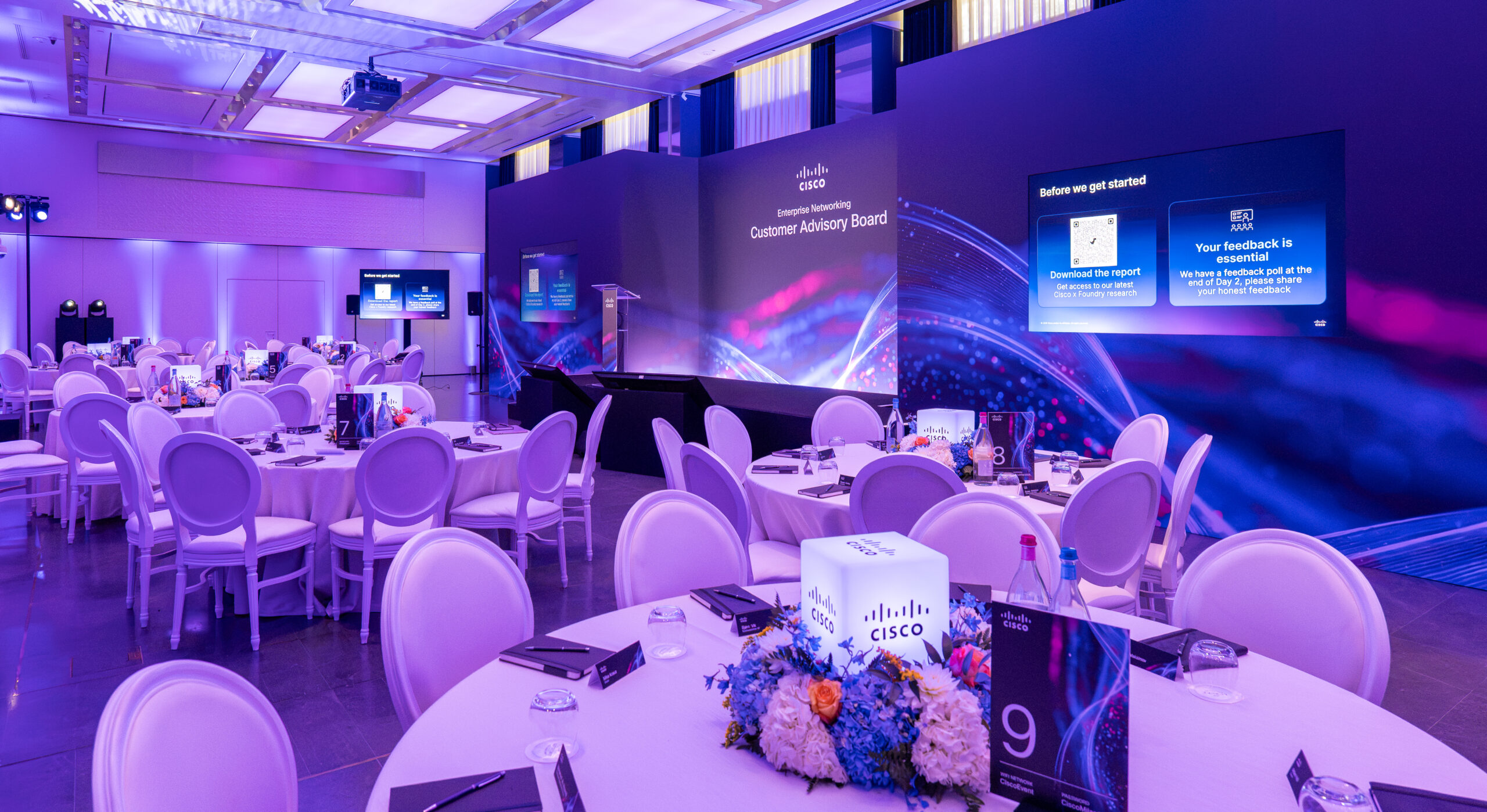
A conference can have an excellent speaker line-up, a strong venue and a carefully planned agenda, yet still lose its audience through a delayed live stream, an unreadable presentation or a registration queue that forms before the first coffee. The conference technology trends worth following are the ones that remove those points of friction and help people take part properly – in the room, online and afterwards.
For corporate teams, technology should support the event objective rather than become the objective itself. A leadership conference may need crisp content capture and confidence monitoring for senior speakers. A large internal conference may benefit most from fast registration, clear wayfinding and tools that make questions easier to ask. The right answer depends on the audience, the format and what success looks like when the day is over.
Conference technology trends shaping better events
AI is becoming an event assistant, not the event
Artificial intelligence is now being used behind the scenes for agenda planning, session summaries, transcription, live captioning and content repurposing. This can save a considerable amount of time after a conference, particularly where internal communications teams need to turn a full day of discussion into usable follow-up material.
The practical value is strongest when AI has a clear job. Live captions can make keynote sessions more accessible. Searchable transcripts allow delegates to revisit a point they missed. Session summaries can help busy colleagues catch up without watching every recording in full.
There are sensible boundaries. Automated summaries can miss context, names and nuance, particularly with specialist terminology or multiple speakers. They should be reviewed by a person before being circulated as an official record. If sessions involve confidential business information, teams also need to establish where recordings and transcripts are stored, who can access them and whether the chosen platform meets company data requirements.
Accessibility is moving into the production brief
Accessibility should not be treated as an optional add-on once invitations have gone out. It belongs in the venue and technology conversation from the start. That includes captioning for major sessions, sufficient screen size and contrast, clear audio coverage, hearing-assistance provision where needed, accessible digital documents and a platform that works with screen readers.
This is not only about compliance. When content is easier to see, hear and navigate, the experience improves for everyone. A well-positioned confidence monitor helps speakers maintain eye contact rather than turning towards the main screen. Good lighting makes presenters more visible in the room and on camera. Clear stage audio helps delegates at the back of a ballroom just as much as it helps anyone with a hearing impairment.
Ask delegates about access requirements during registration, but avoid relying on last-minute responses alone. An experienced production team will plan inclusive basics as standard and have a process for responding discreetly to individual needs.
Hybrid events are becoming more selective
The rush to make every event hybrid has settled into a more considered approach. Live streaming remains valuable for global teams, client audiences and people unable to travel, but it is no longer assumed that an online audience should receive every moment of an in-person conference.
A successful hybrid format is designed for two audiences. Remote attendees need a presenter they can see clearly, legible slides, reliable sound and opportunities to participate without feeling like observers of a room they are not in. That may mean a dedicated online host, moderated questions and selected sessions built specifically for screen-based viewing.
There is a cost trade-off. A camera at the back of the room and a basic stream may be adequate for a short internal update. It is rarely enough for a high-profile conference where remote delegates are expected to engage. Multi-camera coverage, graphics, remote speaker checks, platform support and a producer all add value, but they also add to the budget. In some cases, recording the best sessions for on-demand viewing is a more effective and more controlled alternative.
Registration technology is becoming part of the welcome
The first few minutes on site set the tone. Digital registration, QR codes and badge printing can reduce queues, give organisers a live view of arrivals and help teams make informed decisions about catering numbers. For a multi-track conference, badges can also support access control and session scanning.
However, technology should never remove the human welcome. QR codes fail, phones run out of battery and overseas guests may have difficulty accessing a confirmation email while travelling. A staffed registration desk, a printed alphabetised list and a clear escalation point are still essential. The best set-up combines efficient check-in with people who can solve a problem quickly and warmly.
For larger events, plan the physical flow with as much care as the platform. Consider the number of entry points, Wi-Fi coverage, badge collection positions, cloakroom capacity and how delegates move from registration into networking or the opening session. A fast system can still create congestion if it is placed in the wrong part of the venue.
Better data matters more than more data
Event platforms can capture a great deal: registrations, attendance, session choices, poll responses, questions, content views and post-event feedback. The temptation is to measure everything. The more useful approach is to agree three or four decisions that the data needs to inform.
For example, an internal communications team may want to know whether colleagues understood a new strategy. A marketing team may need to identify which sessions prompted meaningful conversations with prospects. A people team might be focused on attendance across offices and whether staff felt able to contribute.
Build the registration questions, polls and feedback form around those outcomes. Keep each interaction purposeful. Delegates are more likely to respond when questions are short, relevant and not repeated across several systems. Be equally clear about privacy: tell people what data is being collected, why it is being collected and how it will be handled.
AV production still makes the biggest difference
It is easy to focus on the newest platform or the cleverest app, but dependable audiovisual production remains the foundation of a conference. Poor sound can undermine a brilliant keynote. Inconsistent lighting makes recorded content look amateur. A presentation full of small text cannot be rescued by a large LED screen.
The production brief should begin with the room, not a generic equipment list. Ceiling height, daylight, sightlines, stage position, room width, power, load-in access and noise restrictions all affect the design. A theatre-style conference in a Central London hotel requires a different approach from a large-scale summit in an exhibition venue or a leadership meeting in a private dining space.
Speaker support is equally important. Senior presenters often need a proper rehearsal, clear slide deadlines, a technician managing content and a confidence monitor that allows them to deliver naturally. Remote contributors need a technical check before the event, a back-up contact method and a realistic understanding of what happens if their connection drops. A pre-recorded contribution can be a sensible contingency for a crucial international speaker.
Plan for failure without making it visible
The most professional event technology is often the contingency nobody notices. That can include back-up presentation laptops, duplicate slide files, spare microphones, hardwired internet for critical connections, recorded video files stored locally and a technician dedicated to playback.
Not every event needs every back-up. A 40-person strategy meeting has different risks and resources from a 500-person conference with a global audience. What matters is identifying the points of failure that would materially affect the guest experience, then agreeing a proportionate plan before doors open.
Choosing technology that suits your conference
Before approving a platform, app or production proposal, ask a straightforward question: what will this help delegates do? If the answer is clearer learning, easier participation, better networking or a more useful follow-up, it is likely worth considering. If it merely adds another login, screen or process, it may be better left out.
It also helps to appoint one person who owns the complete delegate journey. Registration technology, venue Wi-Fi, event app content, AV production, speaker management and on-site support often sit with different suppliers. Without clear ownership, gaps appear at precisely the moments delegates notice. One experienced point of contact can coordinate the detail, keep decisions moving and ensure suppliers are working to the same plan.
At The Event Book, we begin by understanding the audience, objectives and practical realities of the day, then bring together the right venue, production and event technology partners. Your event brief is in safe hands, whether you need complimentary venue sourcing or full conference event management.
If you are planning a conference and need help choosing technology that genuinely improves the delegate experience without distracting from the content, Send us your enquiry.
Speak to a real person. Call us on 020 7523 5046 or email your event brief to events@theeventbook.uk. We respond within 2 hours, Monday to Friday, 9am-6pm.
FAQs
What are the latest conference technology trends?
Key developments include AI-assisted planning and content, better accessibility technology, more selective use of hybrid formats, digital registration, purposeful data collection and continued investment in reliable AV production.
How is AI being used at conferences?
AI can support agenda planning, session summaries, transcription, live captioning and content repurposing. AI-generated material should still be reviewed by a person, particularly where accuracy, confidentiality or specialist terminology is involved.
What technology can improve conference accessibility?
Useful options include live captioning, suitable screen size and contrast, hearing-assistance systems, accessible digital documents and platforms that work with screen readers.
Is hybrid technology still important for corporate conferences?
Yes, particularly for global teams and people who cannot travel. The article recommends designing specifically for remote attendees rather than simply streaming an in-person room without adapting the experience.
What conference registration technology should organisers use?
Digital registration, QR codes and badge printing can reduce queues and provide a live view of arrivals. However, a staffed registration desk and backup process should remain available for technology failures or guests who have difficulty accessing digital confirmations.
Why is AV production still important for conference technology?
Reliable sound, lighting, screens, speaker support and appropriate room-based production remain fundamental. New technology cannot compensate for poor audio, visibility or an unsuitable production setup.
Speak to a real person. Call us on 020 7523 5046 or email your event brief to events@theeventbook.uk. We respond within 2 hours, Monday to Friday, 9am-6pm.