A keynote speaker who cannot be heard at the back of the room, slides that look washed out on screen, or a remote panellist dropping out mid-session can quickly undermine months of conference planning. Knowing how to choose conference AV is less about ordering the biggest screen or most expensive equipment and more about making sensible decisions around your audience, venue, content and event objectives.
For a corporate conference, AV should make every delegate feel included, whether they are in the front row, at a cabaret table near the back, or joining online. The right production setup gives speakers confidence, protects your schedule and creates a polished experience without spending budget where it will not make a meaningful difference.
Start with the delegate experience
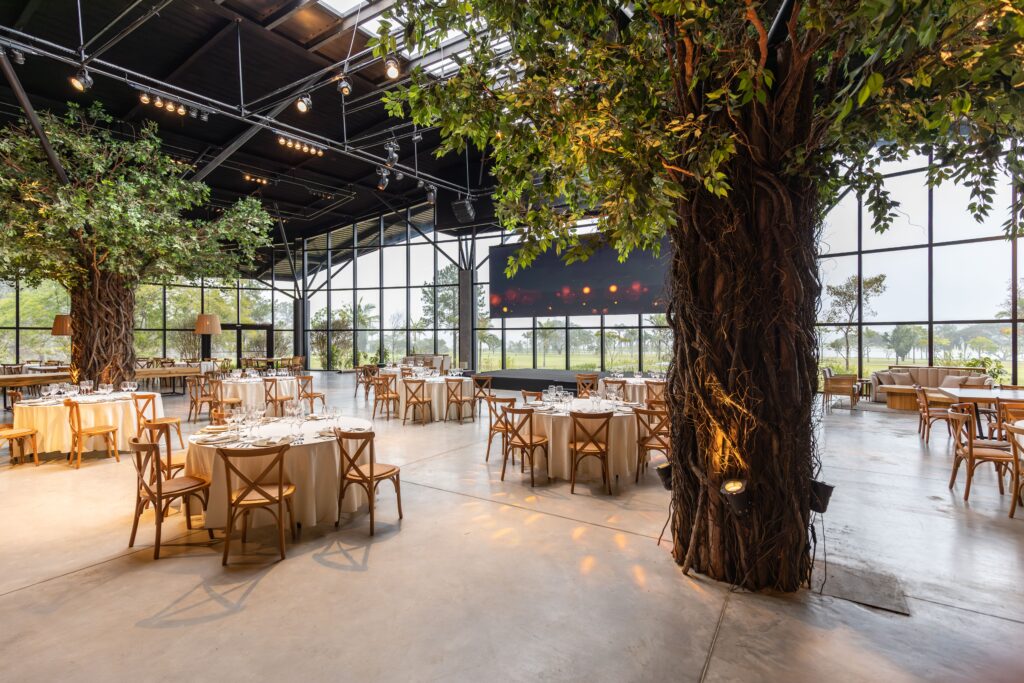
Before discussing equipment, establish what guests need to see, hear and do. A 60-person leadership meeting in a hotel boardroom has very different requirements from a 500-person annual conference in a Central London venue. The number of delegates matters, but room dimensions, ceiling height, seating plan, natural light and the amount of on-screen content matter just as much.
Ask whether every guest needs a clear view of detailed data, whether there will be audience questions, and whether the event includes video, awards, walk-on music or remote contributors. If people are expected to participate through polling, Q&A or workshops, that changes the technical brief too.
A useful test is to think about the person with the least favourable seat. Can they read the smallest relevant text? Can they hear a quiet speaker clearly? Can they follow a panel discussion without straining? Good conference AV is designed for that guest, not only for the people closest to the stage.
How to choose conference AV for your format
The agenda should lead the AV specification. It is tempting to agree a standard package early, particularly when a venue includes equipment, but a package may not suit the way your conference actually runs.
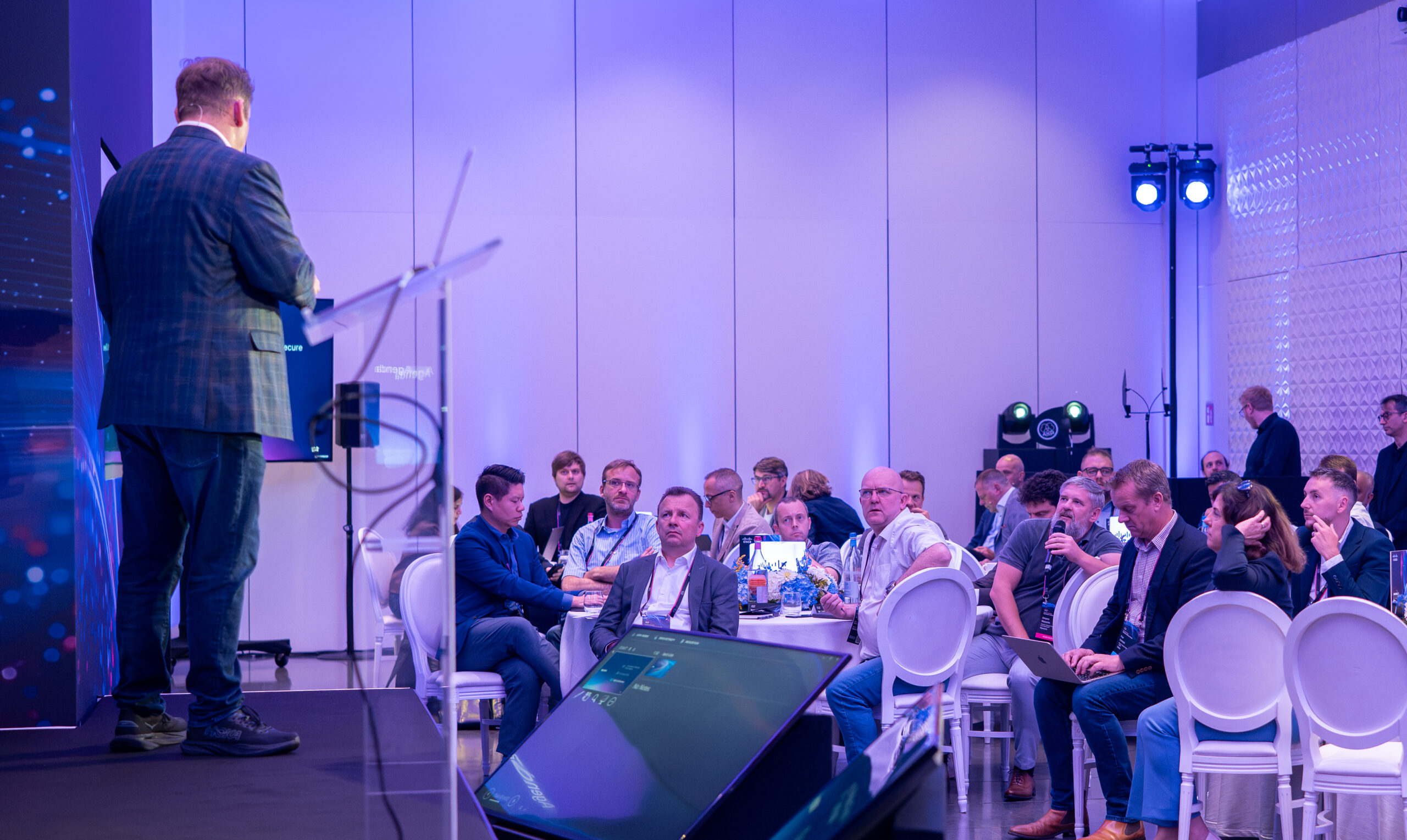
For presenter-led sessions, the priorities are often a well-positioned screen or LED wall, confidence monitor, presentation clicker, lectern microphone and clear stage lighting. A confidence monitor, placed facing the speaker, is particularly valuable where presentations contain detailed notes, films or frequent speaker handovers. It helps speakers maintain eye contact rather than turning repeatedly towards the main screen.
Panel sessions need more careful microphone planning. Individual lapel or headset microphones usually provide a cleaner, more natural sound than passing handheld microphones along a row of chairs. Handheld microphones still have their place for audience Q&A, but assign a trained runner or host to manage them rather than relying on delegates to pass them around.
Hybrid conferences require an additional layer of planning. Streaming a room is not the same as putting a webcam at the back. Online delegates need a purposeful view of speakers and slides, properly mixed audio, and someone monitoring the platform throughout. Consider how remote attendees will ask questions and how the room will hear them. A hybrid audience should be part of the programme, not an afterthought.
Assess the venue before approving a quote
Venue AV can be convenient and, in some cases, excellent. The in-house team knows the building, its power supply, rigging points, loading access and operational restrictions. But convenience should not prevent comparison. Some venues have a strong preferred supplier arrangement, while others allow an external production partner subject to reasonable access and supervision fees.
Request a technical site visit for larger, high-profile or complex conferences. This is where an experienced event manager and AV production team can identify issues that are difficult to spot on a floorplan: pillars blocking sightlines, daylight affecting projection, low ceilings limiting screen size, or a stage position that creates awkward access for speakers.
You should also clarify what is included. “AV package” can mean anything from a basic screen, projector and microphone to a fully staffed production setup. Check the screen size and brightness, number and type of microphones, stage furniture, technical crew hours, internet connection, rehearsal access, content testing and any overtime costs. A quote that looks lower at first can become expensive once essential elements are added.
Spend where it changes the outcome
The best AV budget is not necessarily the largest one. It is one that gives appropriate priority to the parts delegates will notice most.
Sound is usually the first priority. Poor audio is more damaging than an imperfect stage set because it prevents people from receiving the content at all. Invest in suitable microphones, experienced sound engineering and enough speakers for consistent coverage across the room. Do not assume a venue’s background music system is suitable for a conference.
Visuals come next. Projection can be cost-effective in a controlled, darker room, whereas LED screens offer stronger brightness and definition in daylight or large spaces. LED is not automatically the right answer: for a modest audience in a suitably darkened room, projection may deliver an excellent result at a more proportionate cost. Your content is part of this decision. Dense spreadsheets and small type demand a different display solution from bold keynote graphics.
Lighting is often underestimated. Even a simple lighting design can make speakers look more professional on stage, support filming and distinguish the presentation area from the rest of the room. For awards, product launches and evening conference dinners, lighting also has a significant effect on atmosphere.
Choose people, not only equipment
Conference AV is a live service, not a box of equipment. The calibre and number of technicians on site can be the difference between a calm event and a stressful one.
For a straightforward meeting with one presenter, an AV technician may be able to operate sound and presentations. For a multi-speaker conference with films, walk-on music, panel discussions and streamed content, separate roles may be necessary. A sound engineer, vision mixer, lighting technician and show caller each have distinct responsibilities. Trying to reduce crew too far can create avoidable pressure at precisely the moments that matter most.
Ask who will be your technical lead, when they will arrive, and who is responsible for running the show. They should have a clear show flow that covers session timings, speaker entrances, presentation versions, video playback, music cues and Q&A. A proper production schedule gives every supplier and stakeholder the same view of what happens next.
For senior leadership events, it is worth allowing time for a speaker rehearsal. This does not need to be theatrical. Even 10 minutes on stage lets a speaker test their microphone, become familiar with the clicker and confidence monitor, and flag any concerns before guests arrive.
Plan for content, connectivity and contingencies
The technical setup can only be as good as the content supplied to it. Set clear deadlines for presentations and ask speakers to use a shared template where appropriate. A production team needs time to test fonts, animations, embedded films and audio levels. Last-minute slide changes are common, but they should be controlled through one person rather than arriving from multiple speakers on USB sticks.
If presentations contain video, request the original video files as well as the slide deck. Embedded links can fail, and internet-dependent playback is an unnecessary risk when a local file is available.
Internet deserves its own conversation. Venue Wi-Fi may be adequate for delegate browsing but insufficient for reliable streaming, live polling or a high number of simultaneous video calls. Ask about dedicated bandwidth, hard-wired connections, backup options and the cost of a separate line. This is particularly relevant in historic London venues, where thick walls and building infrastructure can affect coverage.
Every event also needs a practical contingency plan. Spare microphones, backup presentation copies, duplicate adapters and an alternative connection method are basic safeguards. For critical keynote sessions, consider a second playback device or a backup internet connection. The aim is not to overcomplicate the event, but to protect the moments that cannot be repeated.
Get one clear AV brief and one accountable team
A concise brief will help suppliers price accurately and prevent missed assumptions. Include delegate numbers, venue and room layout, agenda, speaker format, branding requirements, content types, hybrid needs, access times, budget parameters and the level of on-site support expected.
For conferences involving several suppliers, it is helpful to have one experienced point of contact coordinating venue operations, AV, staging, catering, speakers and registration. This avoids the client having to resolve technical questions between separate parties while trying to manage internal stakeholders. At The Event Book, this is part of how we support corporate teams: the detail is managed behind the scenes, while the event brief remains in safe hands.
If you are planning a conference in London or further afield and need help matching the production to the room, agenda and budget, Send us your enquiry. Speak to a real person. Call us on 020 7523 5046 or email your event brief to events@theeventbook.uk. We respond within 2 hours, Monday to Friday, 9am-6pm.
The right AV should feel almost invisible to delegates: every voice carries, every slide is clear, and your speakers can focus on the message rather than the mechanics.
FAQs
What is conference AV?
Conference AV covers the audio and visual equipment used to support presentations, speakers, video content, audience questions and the overall event programme.
How do I choose AV equipment for a conference?
Start with the room, delegate numbers and programme. Then consider screens, sound, microphones, lighting, presentation systems and any streaming or recording needs.
What AV equipment does a corporate conference need?
A typical setup may include presentation screens, microphones, speakers, stage lighting, confidence monitors, presentation playback and technical support. The exact specification depends on the venue and programme.
How important is room size when choosing conference AV?
Room size affects screen size, speaker coverage, microphone requirements, lighting and sightlines. Equipment should be chosen for the actual room rather than from a standard package.
Should I use the venue’s in-house AV supplier?
It can be convenient, but check the exact equipment, technician support, pricing and supplier restrictions before deciding. An external AV company may offer a better fit for more demanding production requirements.
Do I need an AV technician for a conference?
Technical support can be valuable when the event includes several speakers, presentations, video playback, live questions, streaming or complex stage changes. A dedicated technician can also respond quickly when something changes during the programme.